
Cloud Bookkeeping vs. Desktop: What to Demand From Your Provider
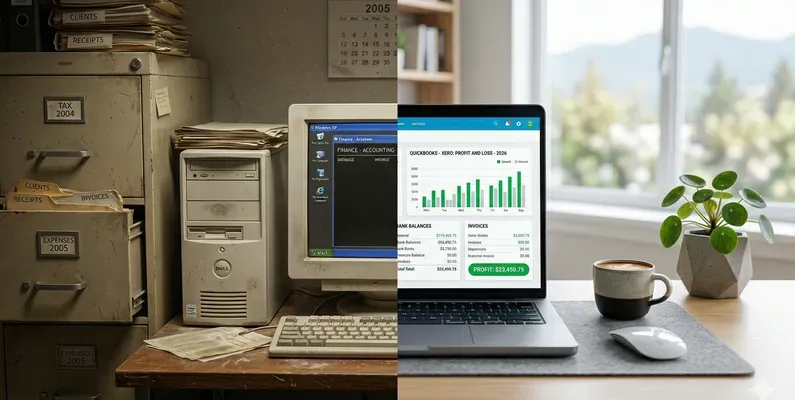
Small businesses used to manage their books on desktop software, or worse, paper ledgers. Cloud bookkeeping changed that. But after Bench Accounting shut down two days after Christmas 2024, stranding thousands of businesses mid-year-end, the question has shifted.
It is no longer “desktop or cloud?” It is: do you own your books, and can your provider vanish overnight?
The Real Difference
| Feature | Comparison |
|---|---|
| Access | Desktop: One computer only |
| Cloud: Any device, anywhere | |
| Bank Feeds | Desktop: Manual import |
| Cloud: Automatic daily sync | |
| Backups | Desktop: You manage them |
| Cloud: Automatic, encrypted | |
| Updates | Desktop: Manual install |
| Cloud: Always current | |
| Collaboration | Desktop: Send files back and forth |
| Cloud: Real-time shared access | |
| Data Ownership | Desktop: You own the file |
| Cloud: You MUST own the file | |
| Provider Risk | Desktop: Software vendor |
| Cloud: Platform + bookkeeper risk |
The last two rows are what the Bench collapse changed. Thousands of businesses learned that their books lived inside Bench’s proprietary platform. They could not export, could not transfer, and could not finish their year-end when the lights went out.
What Cloud Bookkeeping Should Actually Mean
Done right, cloud bookkeeping means your financial data lives in YOUR QuickBooks Online or Xero file, accessed through the internet. You log in through a browser or mobile app. Your bookkeeper works inside your file. You can see every update as it happens.
If you ever want to leave, you take your file with you. No proprietary lock-in. No platform hostage situation.
5 Reasons the Switch Matters
1. Real-Time Financial Data
No more waiting for your bookkeeper to email you a report. You check your Profit and Loss, cash flow, and outstanding invoices anytime, from your phone, tablet, or laptop.
2. Automatic Bank Feeds
Xero and QuickBooks Online connect directly to your Canadian bank and credit card accounts. Transactions flow in automatically every day. That means less manual entry, fewer errors, and faster reconciliation.
3. Your Bookkeeper Works Alongside You
With cloud access, your bookkeeper does not need to be in the same city. They work on your file in real time, and you see updates as they happen. This is how Green Turtle serves incorporated businesses from the Tri-Cities to Ontario and everywhere in between.
4. Bulletproof Backups
Desktop software crashes. Hard drives fail. Laptops get stolen. With cloud bookkeeping, your data is automatically backed up and encrypted. No USB drives. No manual backup routines.
5. Built for Canadian Tax Compliance
Both Xero and QuickBooks Online have Canadian-specific features:
- GST/HST/PST tracking and reporting
- Payroll with T4, ROE, and CRA remittance calculations
- Multi-currency support for businesses with US clients
- Year-end packages ready for your CPA
Is It Secure?
Yes. Both platforms use bank-level encryption (256-bit SSL), two-factor authentication, and are SOC 2 certified. Your data is safer in the cloud than on an unprotected desktop computer.
The security risk is not the platform. It is the provider. The right question to ask any bookkeeper is: “If you disappear tomorrow, do I still own my QuickBooks or Xero file?”
Migration Without the Mess
Moving from desktop to cloud is easier than most owners think. The key is having someone who has done it before.
A bookkeeper experienced with both platforms can:
- Export your existing data
- Set up your cloud account with correct Canadian tax settings
- Import historical transactions
- Connect your bank feeds
- Have you running in days, not weeks
Green Turtle handles cloud setup and migration for incorporated businesses. Our team brings 20+ years of C-suite experience, including running multi-million-dollar businesses. You get a named CPB-certified bookkeeper who answers your email within one business day.